Cocoa Switch
CV Archive Photos Also on Micro.blog
  • Working with file system on macOS

    In my spare time, I continue to practice with AppKit and SwiftUI for macOS. My current goal is to subscribe to changes in a folder with text documents and other nested folders. Current version of LinkEdit uses small library called FileWatcher, which relies on File System Events. One issue with File System Events is they only work on the Mac and the API is hard to understand because it’s a low-level API. I would like to understand the code I ship, so it’s easy to add tweaks.

    I have found an alternative. I have a working project where I can monitor file deletions, creations, rename or moving at specified path using DispatchSource. That’s good to drop a dependency, even a small one, but there’s another benefit is that the new solution should work on iOS as well.

    Like with other problems I had to work on when writing for the Mac, there are much fewer code examples on the web. I have to thank open source “Code App” for a working example which nudged me towards trying DispatchSource and even showed some working code already used in production. There’s also an article which I found later.

    The project which I named FileBrowser has the following functionality:

    • Bookmark selected “root” folder
    • Display list of markdown and txt files in this folder
    • Allow selecting a document and displaying its content
    • Allow editing the content of a file, as well as renaming, deleting and moving
    • Any file system changes should be reflected in the app
    • The app is 100% SwiftUI and should run on Mac and iPad

    It’s going to be a foundation for the LinkEdit 1.2 update. The project is not in a finished state, I am combining different approaches to see what works for me. I still have many questions with no answers. Apple makes it easy to write “a document-based app”, but if you try to do it yourself with your own custom behaviour and file browser, it’s getting complicated.

    One of the problems I need to solve is to write code which works both on Mac and iPad. There’s an interesting technique which I am borrowing from Nick Lockwood, it’s based on #if canImport(UIKit) macros. I am using OSDocument (thanks Nick), and I can use them for initialising files and displaying their names, but I am yet to find out how it can be used for reading and saving file contents without errors.

    There’s even more grey area.

    • What are the benefits when using NSDocument subclass insteaf of custom class?
    • How FileWrapper fits into this?
    • Should I use NSDocumentController and “open” files before reading them? Does it allow other apps to know that content of a file can change?
    • What is the best way to write changes to a file, renaming, or moving it? I can do it already with FileManager, but is there a higher-level API I should be using? Maybe NSFilePresenter?
    • And what about NSFileCoordinator?

    I hope there will be part 2 with more answers and news. So far I am trying to find out what works.
    Update

    Part 2 and Part 3.

    → 11:31 PM, Mar 14
  • PS5 first impressions

    There are PS5 ads everywhere in London and it’s available for sale. I can’t believe it’s been 2 years since the launch, it feels like yesterday. I have sold a bunch of old techs and accumulated around £250 worth of vouchers. Even sold my old 5G router for a whopping £100, didn’t know it has so much value. I couldn’t resist buying a used PS5. Don’t do that, Cex still charges more than Sony which is a crime for a used console, even in perfect condition.

    I am liking the console so far and feel like now all my gaming needs should be satisfied. I like the PSVR2 potential and watching new game releases closely anticipating Half-Life Alyx the most. Because I skipped PS4, I have tons of great exclusives to catch up on, and PS5 is the best console for playing PS4 games. I am currently playing through all Uncharted games, and it’s been non-stop action and relaxing puzzle breaks. The games all take less than 10 hours each, so I can complete 4 of them and it would take less time than the average modern open-world RPG.

    I find the Switch Pro controller superior to the PS5 option. It’s lighter and the layout is ergonomic. I especially felt the difference after playing on PS5 and then holding the Pro controller, it is much more comfortable. I don’t think that overengineered haptics bring much to the experience, it’s a nice addition but I could enjoy games the same with regular DualSense feedback. I don’t like the extra weight and bulk of the PS5 controller. We use the Pro controller a lot, to the point it started drifting recently.

    We continue to play on Switch more as a family and it has an excellent library of games for all ages, single console co-op and upcoming hits I am going to enjoy with my kids like Pikmin 4 and Kirby Return to Dreamland Deluxe. Even the excellent Astro Bot demo which is included with PS5 is harsh and punishing, it takes 1 hit or fall and you have to start from a checkpoint. I am finding often completing difficult parts for my kids because the game is just too punishing.

    I recommend the disk version because the price of disks in the UK is less than digital versions, even for very old games. Plus, you can exchange disks with friends and sell them back even. Unfortunately BlueRays are much more fragile than neat Switch cartridges. I am collecting Switch games but I have no desire to collect disks.

    Update

    Removed any mentions of PS5 region lock, because it isn’t.

    → 2:03 PM, Mar 5
  • WWDC expectations

    From a developer perspective, I am most interested in SwiftUI improvements, file system handling, TextEditor view and more AppKit features available in SwiftUI.

    → 12:34 PM, Mar 4
  • I began the slow process of switching from 1Password to iCloud Keychain, for now, the most thing I miss is being able to change the URL and add multiple addresses. I am most interested in iCloud Keychain improvements this WWDC, and I am optimistic.

    → 12:31 PM, Mar 4
  • iOS 16.4 Beta 2 Re-Adds Page Turning Animation to Apple Books – MacRumors. 👏🏻👏🏻👏🏻

    → 9:16 PM, Mar 1
  • I wish Sony learns UX from Nintendo, Switch has a much better interface than PS5, except for low resolution. 🎮

    → 11:33 AM, Feb 21
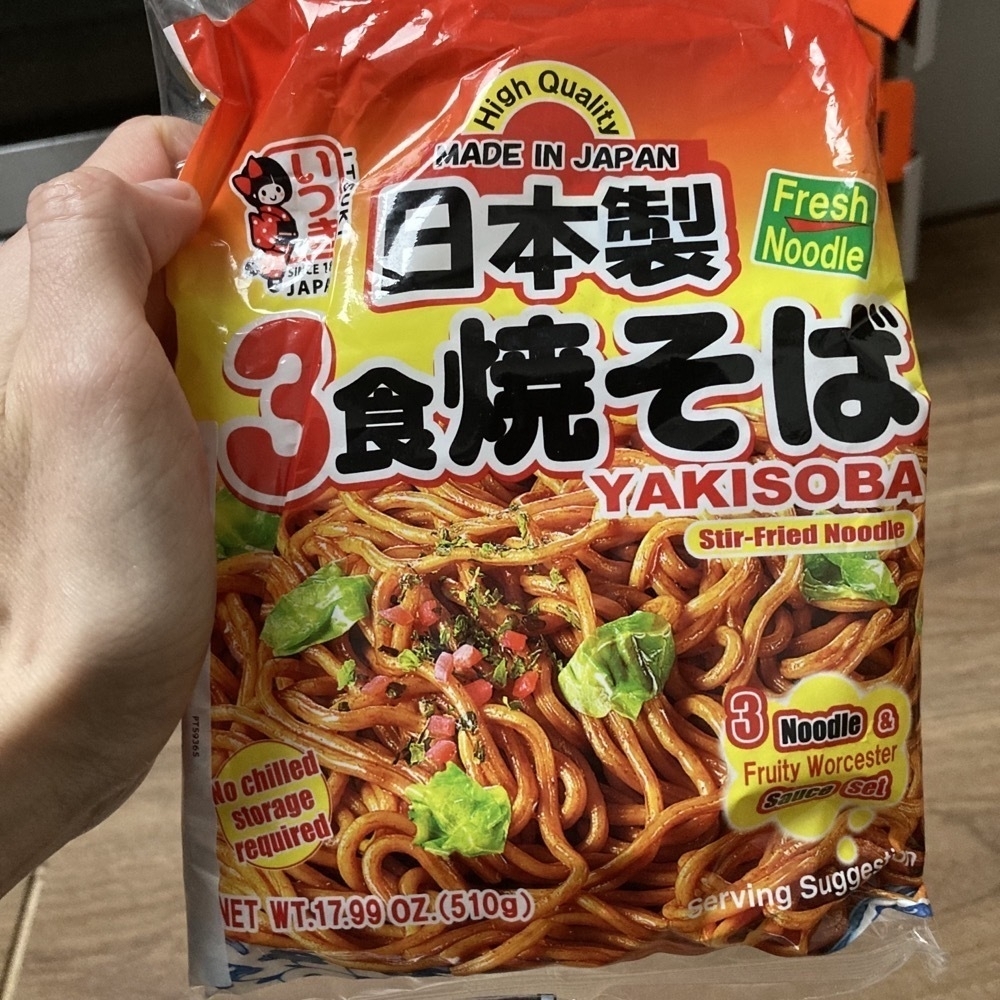
  • Today’s dinner. Added some protein (egg and sausage) and some greens, and spent 5 minutes fryings. The results are great. I try to have this as a last resort because everything is wrapped in plastic. Purchased in large Waitrose.

    Noodles pack from Japan Yakisoba
    → 8:34 PM, Feb 18
  • Ukraine-related disinformation on YouTube

    I stumbled upon a video on YouTube which starts with the host blaming Ukranian soldiers for using chemical weapons (cyanide). 2 people are speaking for a long time, the host and an ex-military adviser who is likely not aware that he is been fooled or purposefully lying. The video shows brief footage stitched together with sounds removed. They conveniently don’t link to the original source. There’s nothing in the source video which suggests the use of chemicals, it shows some explosive charges and a powered-off fridge. You can say that fridge is not on because there’s no frost or ice inside the freezer compartments. There are multiple comments in Telegram which mention that this material has been used by Russian propaganda. That’s what they do, they use real footage, then add a bunch of lies on top. Russians produce controversial materials regularly on a massive scale and it works well on domestic audiences. I’m concerned this is been used to mislead English-speaking audiences.

    The video has only pro-Russian comments, my comments were deleted immediately. I encourage you to report the video as disinformation. If you still have concerns about drone footage, I found a good explainer article which analyses footage and has lots of information about the real use of chemical weapons in historic context. Chemical weapons are used very rarely in modern warfare. But there’s evidence of some chemical weapons used in Mariupol by Russia.

    Generally, you need labs and protective gear when producing chemical weapons, it would require state support and can’t be just produced in a basement and stored in a turned-off fridge. Ukraine depends on western support, bragging about breaking the Geneva convention would be dumb. Donate to help Ukrainian efforts. 🇺🇦

    → 8:28 PM, Feb 18
  • Is this just me or do Pikmin 4 graphics look too good to be true for the Nintendo Switch hardware? It looks like Pixar rendering. I liked the 3 and kids loved to watch me play. 🎮

    → 1:25 AM, Feb 9
  • What's the deal with HomePod

    I’ve been always interested in home audio equipment, tinkering with sound since high school, and pursuing the best possible quality while staying on budget. Usually, I just used whatever we had at home.

    My first home theatre is a 5.1 Sven audio system combined with an external TV tuner and SoundBlaster audio card. The amount of time I spent connecting the wires, and playing with the drivers and DVD player apps was tremendous. I never could get 5.1 sound in games to work properly and I think eventually one of the smallest speakers died. I ended up using the subwoofer and 2 speakers because it was the most reliable setup. I remember playing Half-Life 2 and the motorboat level — the strong soundtrack made these memories special. The sounds of the Citadel and the energy gun are still alive in my memory, somewhere at that time I realised that at some moments I enjoy virtual worlds more than real life.

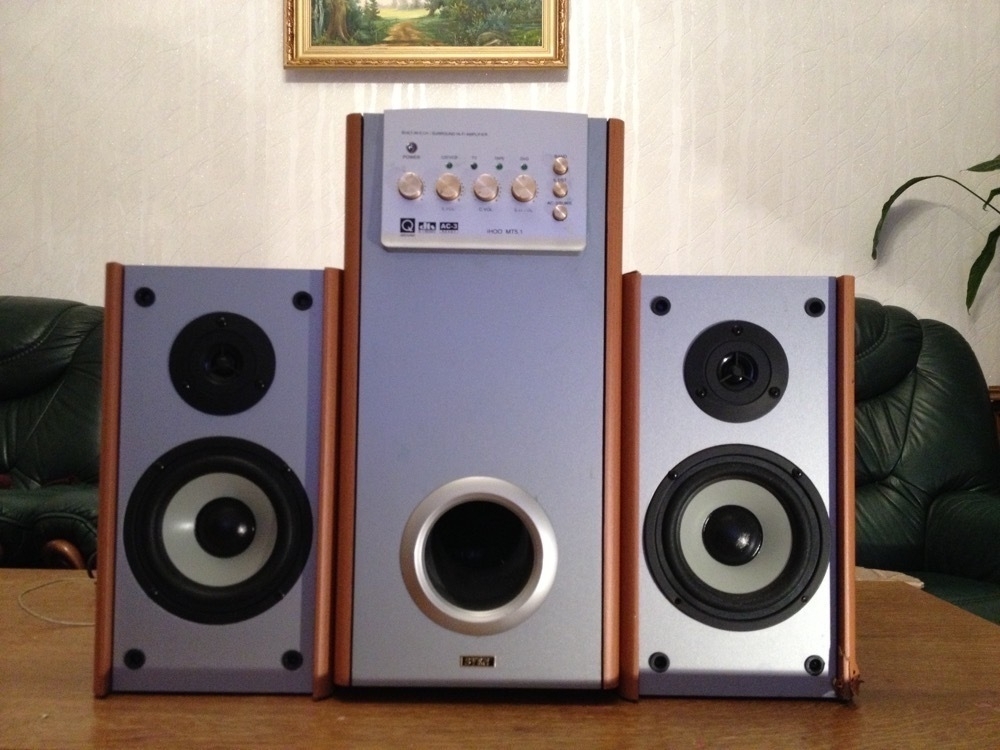
    2 wooden speakers and subwoofer

    My second system was from Technics. It didn’t have a subwoofer, but I had a stock receiver/amp with manual input switching. They sounded much cleaner and sharper than my old system, although the bass was not so powerful. Because these are traditional speakers they blast sound from one direction, and to enjoy them properly you have to be in front of them. I also needed to switch input manually whenever going from Mac to TV.

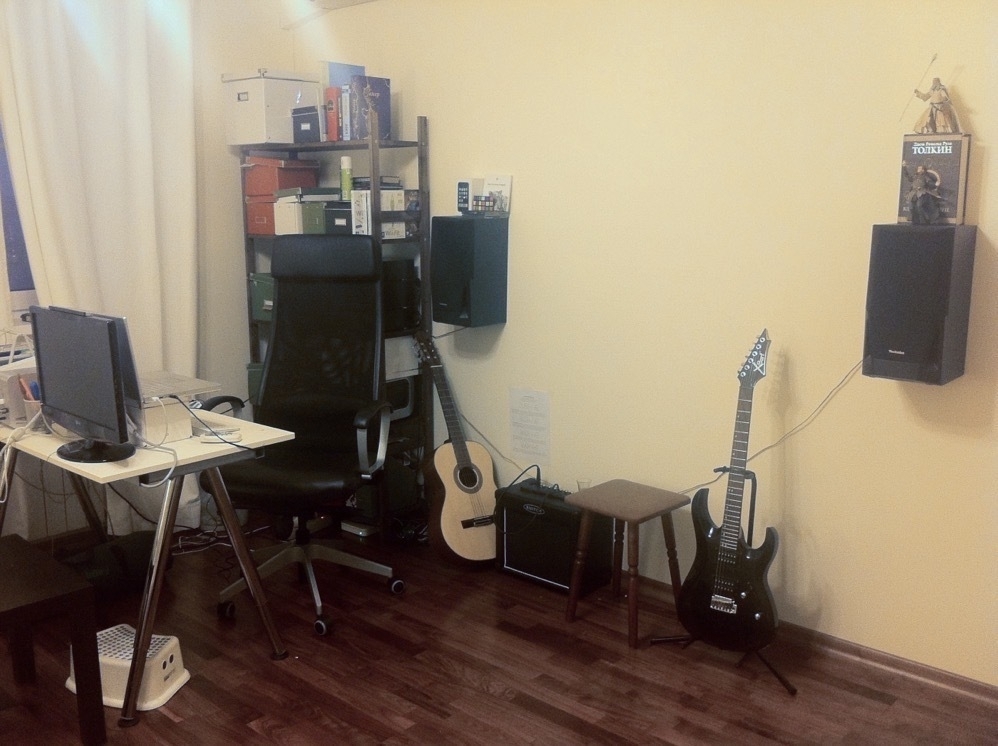
    2 larger speakers hangin on a wall

    I tried various setups with used speakers when we moved to the UK. Nothing satisfied me. Kids kept messing with the knobs, putting toys into the subwoofer and so on. When I heard how Marco Arment praised OG HomePod privacy and quality, I was intrigued, the OG model was discontinued likely because of hardware failures. I was very happy to order the HomePod 2 and I think it’s the best setup I had so far. If you like me and maintain a personal music library with songs not available on any streaming services, by signing up to iTunes Match (£21.99 per year) you can keep your library available to any of the HomePod speakers through Siri. AirPlay 2 works well and allows me to stream music to every room in my house with no issues or lag. I can control playback from any device in the same network, inclding, Apple Watch. A circular shape allows sound to fill the room, no matter where you are.

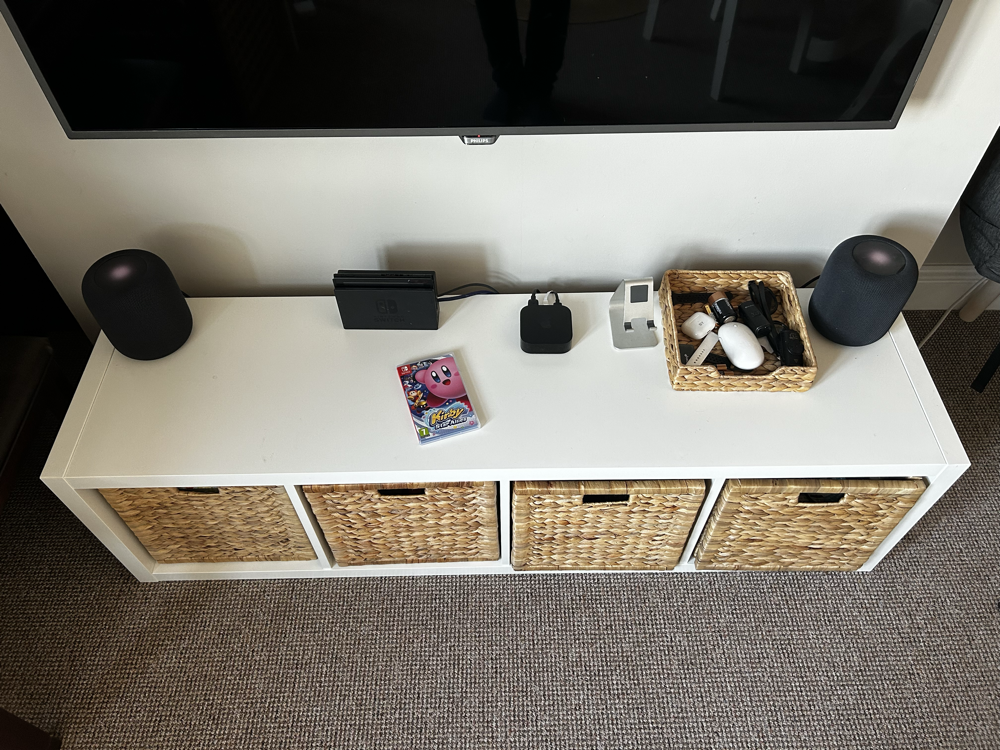
    TV, 2 HomePod speakers and Nintendo Switch

    HomePod 2 in stereo pair (£598) working with Apple TV (£169) should be interesting for people who are not happy with the sound from their TV and want higher sound quality than what any soundbar can offer. HomePod has good stereo separation and stronger bass than soundbars and the quality of the speakers outperforms any smart speaker out there and is comparable or even better than Sonos. Achieving even higher quality and adding more speakers would increase the cost substantially. You would want to add a subwoofer, central channel and rear speakers. You most likely need a dedicated amplifier. AirPlay 2 amps cost more (Sonos UK) or much more (Sony) than 2 HomePods. Some amps work best after calibration and room measuring.

    HomePod to home audio could become is what iPhone became to the professional cameras world. I believe most families don’t have any connected speakers at all. It’s a big opportunity for Apple. They always have been good with democratising technology and bringing to a mass market something which is used only by enthusiasts or professionals. iPhone eventually replaced DSLR cameras for most of us. HomePod is trying to achieve the same with home audio. More affordable, easier to handle and with surprisingly good sound. There are no audio wires, setup is quick, and with ARC, you can use it for your game consoles. HomePod is small and elegant and can match any interior design, they take up very little space. There’s nothing quite like it. I don’t believe that Apple cancelled the OG model because of poor sales, I think it was the hardware flaw which require more time to fix, Apple did the right thing by pulling the flawed model with an outdated chip.

    And yet HomePod 2 is misunderstood by MKHD and other vloggers and even by Myke at Connected. To appreciate it you have to live with it, and I sincerely hope that by the word of mouth, it ends up in more homes than the flawed OG. Or at least there will be enough HomePod users for Apple to keep this product alive.

    → 1:06 AM, Feb 9
← Newer Posts Page 27 of 37 Older Posts →
  • RSS
  • JSON Feed