Cocoa Switch
CV Archive Photos Also on Micro.blog
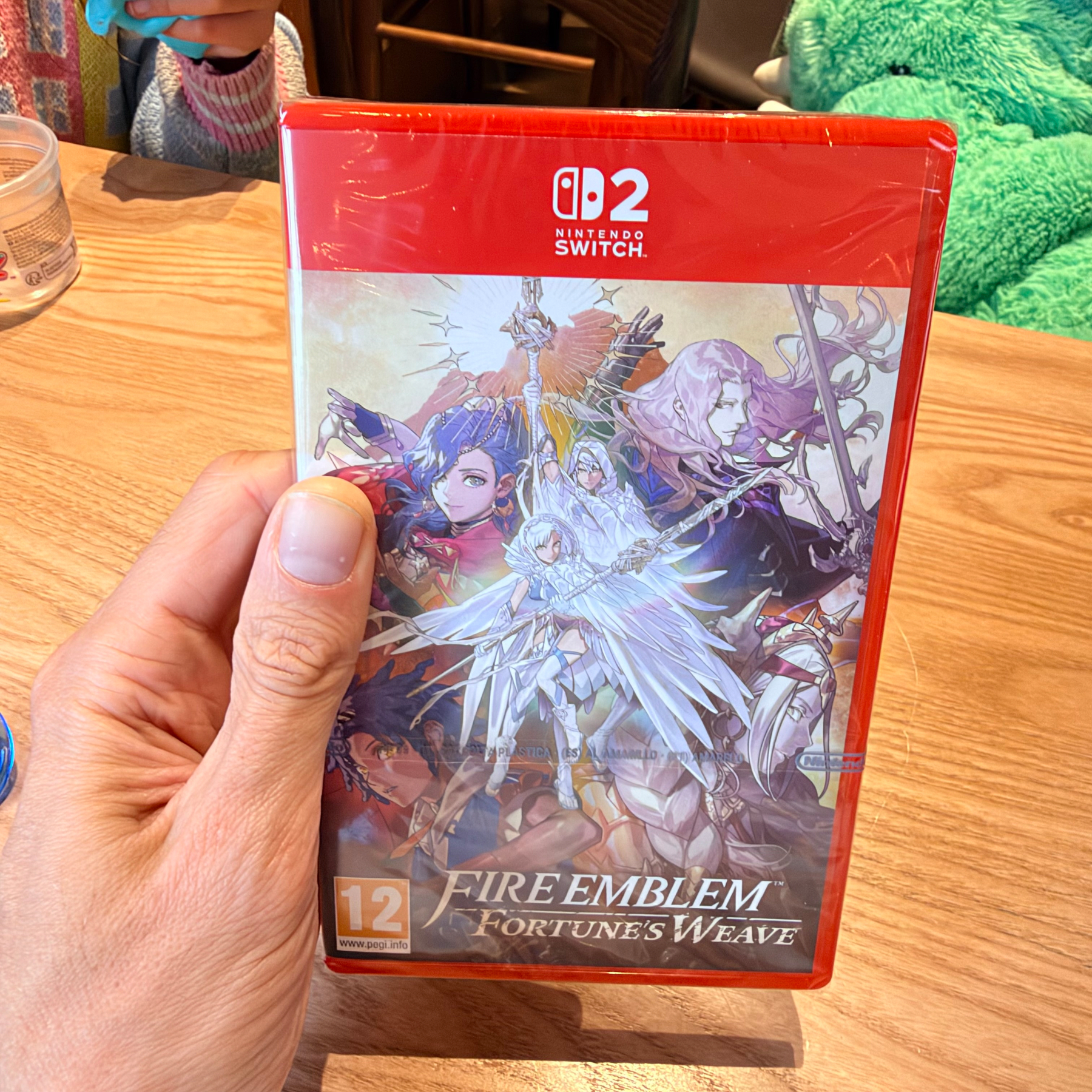
  • I never played Fire Emblem, but I like trying something new. I have a good feeling about this game, but only time can tell: will I like it, will I beat it, how long will it stay in my memory.

    → 5:03 PM, Oct 18
  • It’s wonderful to see that we will be able to run frontier models on our desks at home, with the privacy and energy efficiency we deserve. The future comes knocking, sooner than I expected. More power to the rest of us. www.macstories.net/news/meta…

    → 9:17 PM, Oct 15
  • Untitled

    I am shocked by brutal lay-offs at one of my favourite publications. I’ve been listening to NVC and Beyond for a long time. More and more I am convinced that we as creative people cannot depend on anyone; to survive we have to go independent.

    kotaku.com/sources-i…

    overcast.fm/+ABE99WMr…

    → 7:04 AM, Oct 5
  • GOG GALAXY drops support for Intel Macs

    GOG GALAXY 2.1 now supports Apple Silicon natively and doesn’t run on Intel anymore, raising the dependency target to Sonoma. Sadly, I noticed that the app now takes twice the disk space. What happened? SSD price is not cheap; I wish management gave some priority to optimising for disk space.

    No issues running on Golden Gate. I had to delete the old version before I could update to 2.1. I am happy it’s a modern build now and will be supported on macOS 28. Although a major GOG GALAXY appeal is game preservation, it doesn’t mean it needs to preserve itself and run on obsolete macOS versions. I am quite happy with this update; despite the increase in disk space, it’s still a step in the right direction.

    → 5:09 PM, Aug 30
  • Stop buying digital games now

    As reported by Verge on 1 July, Sony is killing all physical discs after January 2028

    This transition will enable us to align more closely with how most of our community prefers to access and play games today.

    That’s an interesting statement, and that’s not my preference at all, I think. So! I decided to check the actual numbers.

    My Amazon order history:

    • RoboCop: Rogue City Collection (PS5) £22 29 Jan 2026
    • Cyberpunk 2077: Ultimate Edition (PS5) £30 14 Oct 2025
    • Grand Theft Auto V (PS5) £27 26 September 2024
    • The Last Of Us Part II (Remastered) £22 1 Jun 2025
    • LEGO Horizon Adventures £28 1 Jun 2025
    • ASTRO BOT £44 15 December 2024
    • No Man’s Sky Beyond (PS4) £21.40 28 February 2023

    Total: £194.40

    PSN store:

    • Far Cry 3, Dead Space, Doom Eternal £24
    • Snow Runner £20
    • Batman Arkham Knight £3
    • CONTROL Ultimate Edition £7
    • Patapon Remastered £12
    • Goat Simulator 3 £18
    • Toy Story 2 £5

    Total: £89.00

    Even with an additional £68 worth of digital PSVR2 games I never can play because the headset makes me feel sick, it’s still £37 less than what I spend on brand-new physical games ordered from Amazon.

    I have not counted many physical games I ordered second-hand from CeX. Prices rounded.

    → 7:09 AM, Aug 27
  • Running Settlers IV on Mac

    What did I use

    • Apple computer with M1 or newer CPU
    • UTM 4.7.5 (18)
    • Windows 11 ARM ISO from Microsoft (CrystalFetch build was crashing during installation), refer to UTM documentation
    • The Settlers® 4: Gold Edition from gog.com (often on discount, my version cost me just less than £3)

    What doesn’t work

    There’s an issue with the main game menu scaling; the game is hard-coded to run in full screen, but the UI elements do not align with the pointer position. This is not a blocker and just a quality-of-life issue; after I was able to get through the menu, the game itself had correct click areas.

    What do we need to do

    1. Install Windows; we should not see any errors during installation.
    2. Windows 11 finally added a setting to use macOS-like “Natural Scrolling”; I recommend enabling it straight away.
    3. Install UTM Guest Tools; test that copy and paste works; I used Notepad.exe. Note: use control + V in Windows to paste. We might need to restart the VM for UTM Guest Tools to start working.
    4. Unmount Windows ISO and Guest Tools; this will save us from errors after we eventually need to restart the VM
    5. In the Windows VM download the GOG Galaxy client from gog.com, log in and install the game.

    At this point, we should see the following error, which curiously also happens in CrossOver and PortingKit.

    Settlers Error Software 3D: Error initializing Graphic Interface!

    Image taken from GitHub

    You might attempt a patch from the repo above; it didn’t fix the issue for me. Thanks to zocker-160 from Germany, for saving my holiday, there’s another patch which solves the issue, and this is the only patch we need.

    The game will launch now, and we should see pre-rendered intro videos running with no reasonable frame drops. I tested this on a stock MacBook Air M3. Now we need to get through the menu and I realised that the game is unplayable; I could hear the music but the game appears to be frozen. Windows even detected a hang; this is helpful, but it only worked once. Future hangs required force quitting the executable manually.1

    This is where Windows “Compatibility” options helped me; there are multiple flags and options Redmond gives us. Eventually I found what’s was working for me; I am not claiming this is the minimum change we need to make; I likely enabled more than was needed.

    Right click on the exe, select Options, select Reduced colour mode, Run in 640*480, run this program as admin Change Emulation settings, enable Safe emulation

    Click “Apply”, twice,2 then the game is running and playable. 🎉

    What did I learn

    You might want to play with resolution settings, don’t!** Keep them as default 1024px by 768px. It led to an issue where I couldn’t see any of the UI, couldn’t revert the settings and had to wipe the GOG installation and reapply the patch.

    To fix the menu issue, I attempted to force the exe to run in a window using DxWnd, it does fix the menu, but it doesn’t work with Windows emulation unfortunately. And it has a pretty bad UI, first thing we have to do to intercept an .exe launch is to right-click on an empty space.

    I have experimented with Windows XP builds, which I do not recommend, but if you need to, this ISO from the Internet Archive already has a pre-installed build, so there’s no waiting. However, we can’t access the internet on Windows XP, and UTM Guest Tools do not work either. I ended up creating my own ISO image using macOS Disk Utility and a single Terminal command, thanks to this article. Disk Utility > New Image > Image from Folder. Choose the “DVD/CD master” option. Then run hdiutil makehybrid -iso -joliet -o FILE.iso FILE.dvd.cdr.

    I also attempted PortingKit and even the CrossOver free trial; I attempted both patches mentioned above to manually override the files inside the Exe folder, but nothing worked.

    UTM has many options for GPU emulations; none of the options I tried helped me to work around the 3D issue.

    Inside the VM, I have been experimenting with some emulation which has Voodoo in its name; this fixes the 3D error, but performance is unplayable. Essentially, it forwards all GPU calls to the CPU, and unsurprisingly it works but with FPS below 1.

    1. The last time I used Windows was XP, control + option + delete no longer shows the Task Manager. Use control + shift + esc; I have not tested this yet, thanks for CCleaner the info. ↩︎

    2. With the exception of iTunes, I have never seen an “Apply” button in any of the settings windows on OS X. I hope Windows 12 can copy this UX too, and I am optimistic. ↩︎

    → 12:45 PM, Jul 31
  • Synth Riders on visionOS is really fun.

    → 6:22 PM, Dec 23
  • Playing Half-Life 1 on Mac, using Mac Virtual Display is awesome in Vision Pro. It’s feels immersive. You can’t run it from Steam, but there’s a workaround.

    → 4:54 PM, Dec 3
  • Quick Switch 2 impressions

    Interestingly, Switch 2 has HDR enabled and the resolution is set to 4K. Although I know that my TV doesn’t support it with PS5, I don’t know how this is possible with HDMI 2.0 on both ends.

    I am not 100% sure, but it looks like Luigi’s Mansion 3 runs in a higher resolution on my Switch 2. The game has an update before I launched it.

    → 8:21 PM, Jun 5
  • Last of Us, Part 1. Let’s go.

    → 5:26 AM, May 20
Page 1 of 4 Older Posts →
  • RSS
  • JSON Feed