iMessage and Send as SMS
Glenn Fleishman, on Six Colors:
If you’d like to prevent Messages from downgrading security, you have options, although they may not be fully desirable. All of these are managed on an iPhone at Settings: Apps: Messages. You can’t control these message settings from an iPad or Mac.
Disable downgrading to SMS: Turn off Retry as Text Message. This may mean some messages you send won’t get through. Also, this doesn’t prevent other people in an iMessage (or encrypted RCS conversation) from sending you SMS or MMS messages if they can’t transmit via iMessage.
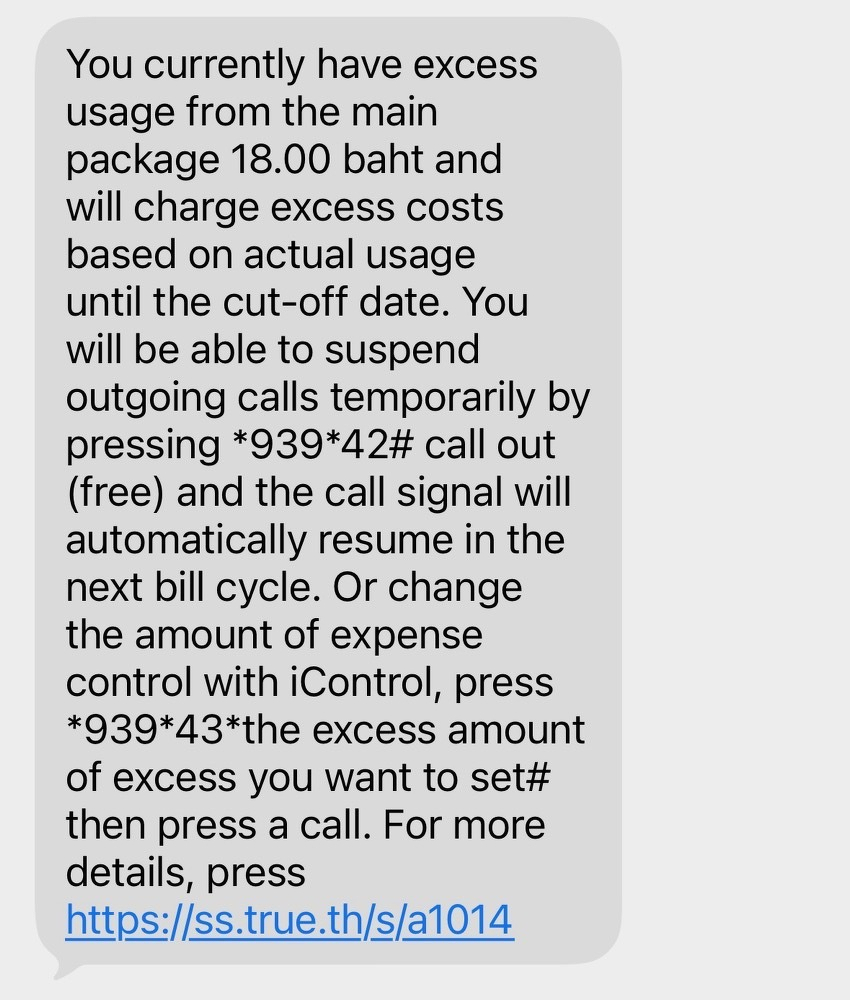
My concern is that the Retry as Text Message toggle no longer exist. Just a couple of weeks ago my sister sent me an iMessage while I was flying. I was not reachable. Later she told me that messages turned from blue to green. You know where this is going. My sister was alarmed receiving this text from her Thai mobile operator (True).
As my close family is located across three different countries, I recommended turning the Send as SMS toggle (Retry as Text Message in Six Colors). This toggle used to be in the iOS settings since iMessage was launched in 2011.
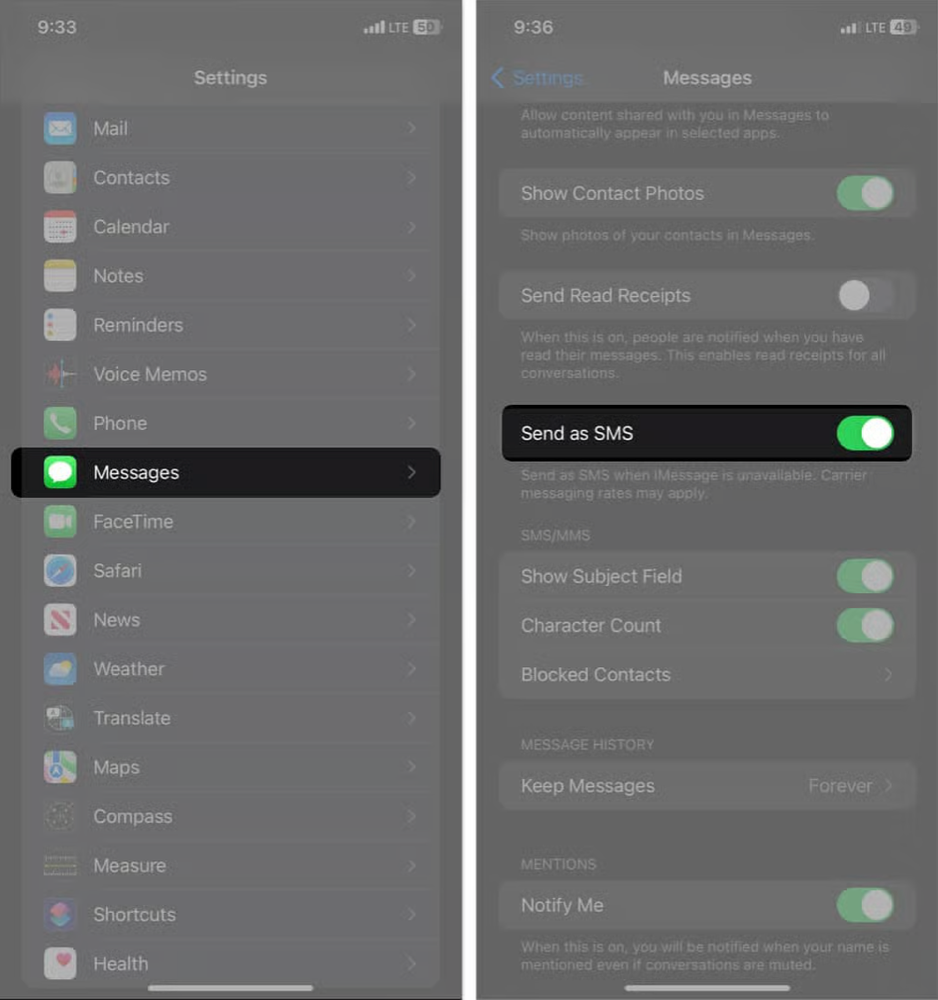
On iOS 27, and possibly iOS 26, this toggle no longer exists. I’m not sure when Apple removed it, but at some point they did. If I recall correctly, the default value was OFF. It looks like not only did Apple remove this toggle, they kept it OFF by default. I think it’s not a well-considered default.
I appreciate that iMessage handles 4 different communication standards in a single chat, with no registration required, but this was not a pleasant experience for both of us. While in the past I was able to safeguard myself and my close family members from unexpected SMS charges, I no longer see a solution for this problem.